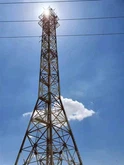


5 võimalust lähima mobiilitorni kiireks leidmiseks
In a world that relies heavily on connectivity, poor cell reception is a problem that plagues many consumers and businesses. If you're experiencing poor signal conditions at home or in the office, identifying the source of the signal can be the first step to improving reception. As of 2018, the number of base stations in the United States is approaching 350,000. This number indicates that there may be a cell tower near you.
Finding your nearest cell tower location can give you insight into what's causing your connection problems. Knowing the orientation of the cell towers relative to your location will provide a signal path, making it easier to implement strategies to enhance reception.
Mobiiltelefonitorni asukoht -min
1. Alustage oma operaatoriga
Cellular carriers, even if advertised as nationwide, are not guaranteed to serve the same areas. It's important to start your search with your current cell phone carrier so you know which towers you identify are relevant to your situation. Verizon, T-Mobile, and ATT are the top three carriers in the U.S. and have many resources to help you locate their cell towers.
Verizon Cell Toweri asukohad
Verizon provides its customers with a map of cell towers that shows the area covered by the network over 2.5 million miles. While this map is a good starting point for making sure you have Verizon coverage in your area, it won't provide the precise location of the towers closest to you. It's also important to note that this map is based on 4G LTE coverage, so those using 5G may find better success with coverage maps in cities where the carrier offers Verizon 5G service.
ATT mobiilitornide asukohad
ATT users have a similar tool that shows the areas the carrier serves, although it doesn't offer a nationwide view and requires a specific location. As with Verizon users, customers will not be able to use this tool to locate cell towers. However, the interactive map can tell you if service is available at your exact address, and what type of coverage you can expect, such as 4G LTE or 5G.
T-Mobiiltelefoni torni asukohad
Those who do business with T-Mobile also benefit from an interactive coverage map, but this one provides a nationwide overview and options for finding specific addresses. Like the other two, the individual towers aren't listed, but the map can show you if you fall within T-Mobile's coverage area and the type of coverage you have available.
Once you've confirmed that you're within coverage of your specific cellular carrier, you can use a variety of tools and techniques to find out the mobile tower locations for your service.
2. Proovige Cell Tower Locator Maps
Now that you've confirmed that your carrier of choice has coverage, you're probably wondering, "How can I find cell towers near me?" Location maps are an easy answer to that question. These third-party maps provide accurate locations of cell towers and can verify the provider as well as the type of network the tower transmits. Here are some options to help you get started:
Cellmapper.net: sellel interaktiivsel tööriistal on otsingu alustamiseks mõned filtreerimisvalikud. Alustage oma operaatori ja võrgutüübi sisestamisega. Seejärel sisestage oma aadress, et leida kõik tornid, mis vastavad teie operaatori ja võrgu parameetritele. Tulemused kuvatakse kaardil, mis näitab teile teie piirkonna torne ja iga torni signaali tugevust.
Scadascore.com: see interaktiivne kaart võimaldab näha tornide arvu antud piirkonnas. Sissesuumimine annab teile täpsema vaate, mis näitab teile, kus asuvad teie piirkonda teenindavad tornid.
CellReception.com: see otsingutööriist on piiratud FCC-s registreeritud mobiilimastidega. Saate otsida sihtnumbri või linna ja osariigi järgi, et luua kaart, mis näitab kõiki teie piirkonna torne. Mis tahes asukohal klõpsamine annab teile torni aadressi ja omaniku. Samuti saate piirata otsingut konkreetsete pakkujatega, märkides õige kasti.
Samuti saate oma telefoni alla laadida mobiilimasti asukoha määramise rakenduse, mis aitab teil otsinguid teha. Mõned rakendused, mida saate proovida, hõlmavad järgmist:
Mobiiltelefonitorni lokaator: see Androidi rakendus pakub mobiilimastide ligikaudset asukohta loodud kaardil. Rakendus pakub ka võimalusi signaali tugevuse ja GPS-i asukoha mõõtmiseks.
Cellular Signal Finder: This is a map-based application available in the Apple App Store. The map clearly shows all the cell towers near you and identifies which carrier each cell tower belongs to. There's even a feature that lets you see a photo of the actual tower if you click on one of the map markers.
3. Kasutage oma nutitelefoni
Once you've found the nearest cell tower, the next step in troubleshooting any connectivity issues is to measure the signal strength. As convenient as they may be, bar graphs on smartphones are not a reliable indicator of signal strength. Instead, you need to determine the signal level measured in decibel-milliwatt (dBm).
Mobiiltelefonid töötavad vahemikus -50 dBm kuni -120 dBm, kusjuures -50 on täistugevus ja -120 peaaegu puudub signaal. Kuigi telefonide tulbad korreleeruvad selle mõõtmisega, on iga operaator määranud oma vahemiku, mis kajastub nendel ribadel, muutes mõõdikud ettevõtete vahel vastuoluliseks.
To get signal strength measurements on Android, browse your phone's menus to find "Signal Strength" or "Network Type and Strength." Instructions for your iPhone vary depending on the type of phone you're carrying. After completing the measurement, you will have a better understanding of the signal received from the designated tower.
4. Palga professionaalid
Kui kõik need toimingud tunduvad pisut koormavad või kui teie ettevõtte asukoha jaoks on vaja tuvastada mitu torni, kuna töötajad või kliendid kasutavad erinevate operaatorite isiklikke telefone, võite alati korraldada Wilson Pro sertifitseeritud paigaldajate poolt kohapealse uuringu. . Need spetsialistid võivad tulla teie rajatisse ja kasutada signaalimõõtureid, et mõõta signaali tugevust hoone erinevates kohtades, samuti tuvastada teie ettevõtet teenindavate mobiilimastide asukohad.
See on eriti kasulik ärikeskkonnas, kuna see võib tuvastada surnud kohad või nõrga signaaliga piirkonnad, mis võivad teie töötajaid aeglustada või teie tarbijaskonda frustreerida. Parem ühenduvus tagab sujuvamad töövood ja rahuldavama kliendikogemuse.
5. Kaaluge rakusignaali võimendit
Whether at home or at work, if you are finding weak connection issues, a cellular signal booster or amplifier may be the solution for your needs. These boosters give you a quick and affordable option to boost signal throughout your building, ensuring you can stay connected no matter what area you're in.
WilsonPro pakub täiustatud lahendusi ettevõtetele, kellel lähimas mobiilsidetorni asukohas puudub signaalitugevus. Kasutades passiivset hajutatud antennisüsteemi (passiivne DAS), püüab võimendi välissignaali ja toob selle hoonesse, võimendab seda 32-kordse algse tugevuseni ja projitseerib selle strateegiliselt nõrgematele signaalidele.
See mobiilsidesignaali täiustamine võimaldab hoone töötajatel oma professionaalsete või isiklike seadmetega kiiremini töötada, parandades samal ajal klientide jaoks, kes võivad vajada otsuste tegemiseks lähedastega ühendust või soovivad lihtsalt ooteajal oma seadmetes aega veeta. Ühenduvus on teenus.